Blog · Tutorial
How to Write a Video Script: Template & 6 Steps
How to write a video script that survives production: scenes, shots, dialogue, and camera notes — with a worked template and an AI-assisted workflow.
By the TaleScene team · · 8 min read
TL;DR: A video script is a shot list, not an essay. Write the premise in one line, split the story into scenes, break each scene into two or three typed shots, give every character dialogue you can say out loud, and add one camera note per shot. The six steps below produce a script that survives contact with production — human or AI.
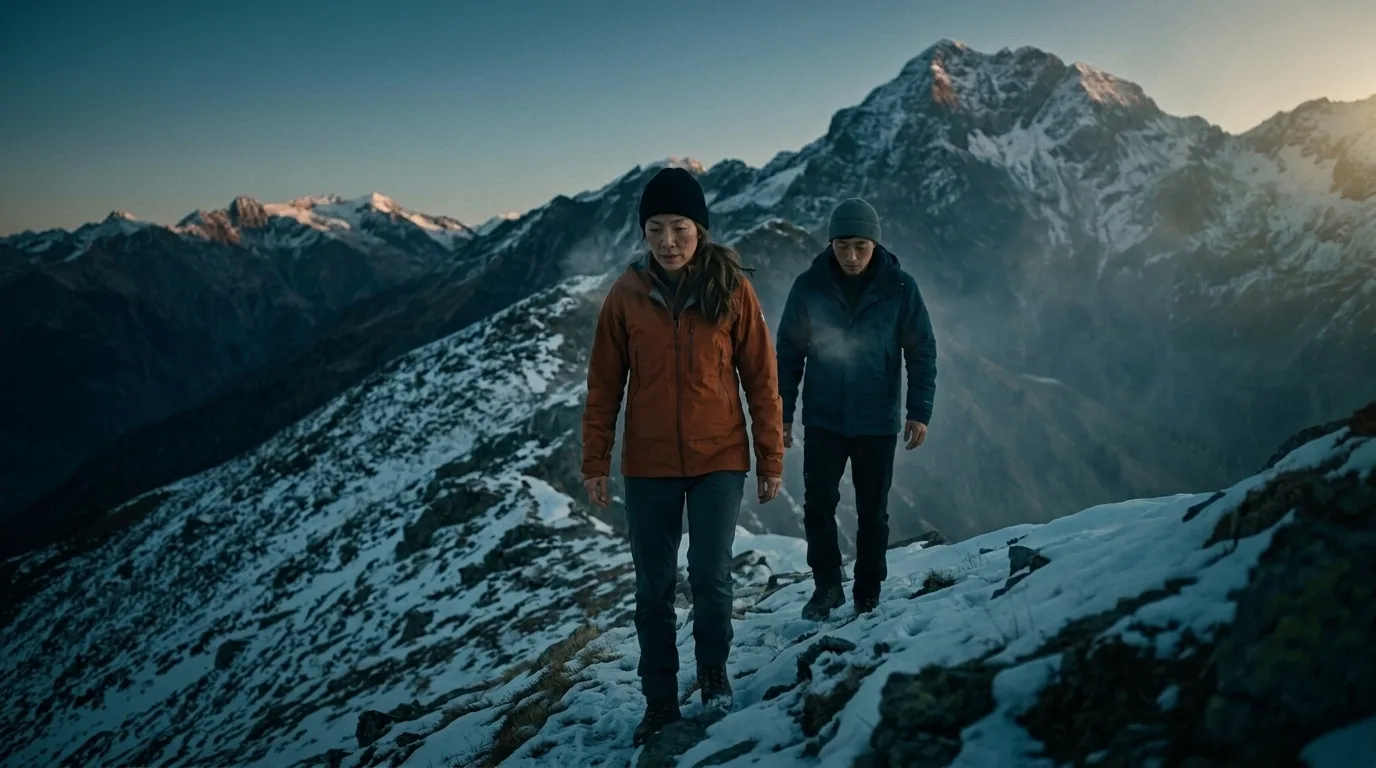
Most first video scripts fail the same way: they read like short stories. Beautiful paragraphs, no shots, no timing — and the moment someone tries to film them (or feed them to a generator), everything stalls, because nobody can point at a sentence and say "that's frame one."
This guide walks through the six steps that turn an idea into a shootable script. The format works whether the script is headed for a camera crew, an animator, or a script to video AI that renders it directly — the discipline is identical, only the crew changes.
What a video script actually contains
Strip away the formatting mystique and every working script — from a 30-second ad to a feature screenplay — carries the same four layers:
- Scenes — units of place and time. A new location or a time jump means a new scene.
- Shots — what the camera sees, one framing at a time. Scenes are made of shots the way paragraphs are made of sentences.
- Dialogue and narration — every word an audience will hear, attributed to a speaker.
- Camera and motion notes — how the frame moves: push-in, pan, handheld, static.
If a draft has all four layers, it's a script. If it has none, it's a story — worth keeping, but not shootable yet.
Step 1 — Write the premise in one line
Before scenes, write a single sentence: who wants what, and what's in the way. "Two siblings carry their father's ashes up a mountain, and the grief they haven't shared almost turns them back." Every later decision — which scenes exist, which shots matter — gets tested against this line. If a scene doesn't serve it, the scene goes.
Step 2 — Break the story into scenes
Aim for three to six scenes for a short video. Give each scene one job: establish, complicate, turn, resolve. A useful check — describe each scene in one sentence without the word "and." If "and" keeps appearing, the scene is doing two jobs and should be split.
Keep the scene count honest about runtime. In AI production, each shot renders as roughly 5–12 seconds of footage; a 4-scene script with two shots per scene lands near a minute. Camera crews budget differently, but the instinct is the same: scenes cost time, and runtime is a budget.
Step 3 — Write shots, not paragraphs
This is the step that separates scripts from prose. Inside each scene, write two or three numbered shots, and give each one a shot type: wide to establish the space, close-up for emotion, over-the-shoulder for confrontation. A shot line reads like this:
Shot 2 — Close-up. Mira's face, eyes fixed on the distant peak, wind pulling at her hair. She's exhausted and refusing to show it.
One framing, one intention, no "meanwhile." If a sentence needs the camera to be in two places, it's two shots.



Step 4 — Write dialogue you can say out loud
Read every line aloud before it survives a draft. Written dialogue tolerates clauses that spoken dialogue chokes on. Three rules carry most of the weight:
- Cut any line over two sentences, or give it to two speakers.
- Let characters answer the subtext, not the words — "You weren't even there, were you?" beats "I am angry about your absence."
- Mark narration separately from dialogue. They're different voices and — in subtitled video — different typography.
In AI rendering this step matters twice: the dialogue is also the voice track. Tools like the AI movie maker perform each line with AI audio and roll it as a subtitle, so a line that reads clumsy will sound clumsy in the finished film.
Step 5 — Add one camera note per shot
A camera note is a verb, not a lecture: "slow push-in," "static, let them walk out of frame," "handheld, following." One per shot is enough. Directors of photography ignore over-specified pages, and AI motion models do the equivalent — a focused motion cue produces controlled movement; a paragraph of cinematography produces mush.
Step 6 — Table-read, then cut 20%
Read the whole script start to finish, timing it roughly at three words per second for dialogue. Almost every first draft is a fifth too long, and the excess hides in three places: scene one starts too early (start later), dialogue explains what shots already show (cut the explanation), and the ending repeats its point (end on the first good exit line).
A worked mini-template
Here is the four-layer format on a two-scene story, ready to adapt:
Premise: A lighthouse keeper's dog rows out at night to bring the storm-stranded keeper home.
Scene 1 — The empty lighthouse, night.
Shot 1, wide: the lighthouse beam sweeping empty water, rain. Camera: slow drift right.
Shot 2, close-up: the dog at the window, ears up. Narration: "The light turned, but no one was home to turn it."Scene 2 — The rowboat, open water.
Shot 1, over-the-shoulder from the bow: waves, a distant figure on the rocks. Camera: handheld, pitching with the swell.
Shot 2, wide: dog and keeper in the boat, the beam catching them. Dialogue (keeper): "Good girl. Home."
Notice what the template forces: every sentence is either a thing the camera sees, a thing the audience hears, or an instruction about movement. That's the whole craft.
From page to screen
A script in this shape is production-ready in the fullest sense: a crew can shoot it, an artist can board it — and a script to video AI can render it directly, scene groupings, shot types, camera notes and all, with the dialogue voiced and subtitled. If the writing is the part you want help with, the same tool's built-in script generator drafts the shot list from a plain paragraph, and every line stays editable before rendering.
Curious what fully AI-produced films look like at the studio scale? The companion piece, AI Generated Movies: How They're Made in 2026, covers the projects — and the limits — worth knowing about.