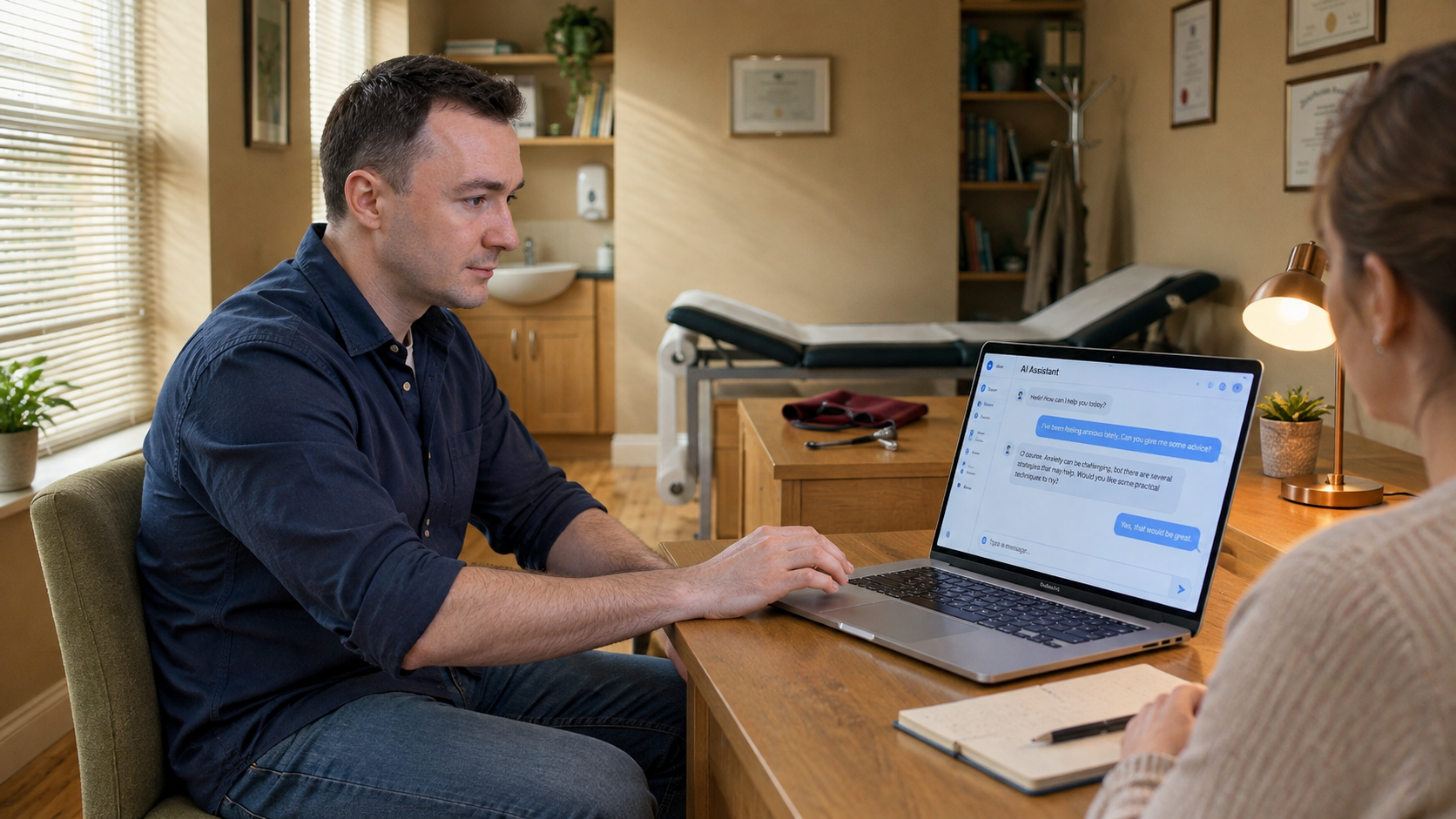
Ivan: Human Judgment

The film
Storyboard
Scene 1
1 shot · 5sShot 1 · medium · 5s
Ivan watches an AI response appear on his laptop, then pauses and gives his full attention to the person seated opposite.
Scene 2
1 shot · 8sShot 2 · medium · 8s
An adult football player starts to leave, hesitates and sits back down; Ivan notices the unspoken concern and leans forward to listen.
Scene 3
1 shot · 8sShot 3 · medium · 8s
Later, a different patient reaches the doorway, remembers an extra detail and turns back; Ivan leaves the laptop untouched and turns fully to invite them to continue.
Scene 4
1 shot · 11sShot 4 · insert · 11s
Ivan and his colleague compare a short handwritten note with the AI conversation. Ivan adds a clarification, a revised response begins, and they acknowledge the result with a thoughtful nod.
The story
Original input — click to expand
“Create a photorealistic 32-second film in four connected scenes, featuring the saved character Ivan. Match his uploaded reference photos consistently across every shot: facial features, hairline, hairstyle and apparent age. WARDROBE: Ivan wears a plain navy-blue button-up shirt with sleeves casually rolled to his forearms, medium-blue jeans and simple grey sneakers. The same outfit throughout. No medical coat, scrubs, tie or visible clothing logos. LOCATION: A believable, welcoming clinic with warm beige walls, oak furniture, muted olive upholstery, a window with blinds and a few practical medical items. Mostly warm, natural colours; avoid predominantly white interiors. The space feels used and cared for, not like a showroom. Maintain the same room layout across scenes. SCENE 1 — THE PAUSE, 8 seconds. Side medium close-up of Ivan at an open silver Apple MacBook Pro. A brief over-the-shoulder view clearly establishes an AI chat application: a familiar chat layout, alternating user and assistant messages, an input field and the short readable heading “AI Assistant.” An assistant response is appearing. Ivan pauses with his hand near the trackpad, then turns his attention to the person opposite him. Frame the laptop screen naturally, with realistic reflections. SCENE 2 — THE FOOTBALLER, 8 seconds. Low-angle medium-wide shot of an adult football player seated opposite Ivan, wearing a burgundy training jersey, dark shorts, long football socks and indoor trainers. A football and a sports bag with football boots rest beside the chair. As the player begins to stand, he hesitates and sits back down. Ivan notices and leans forward attentively. They exchange a natural glance. Keep movements small and anatomically credible. SCENE 3 — THE EXTRA DETAIL, 8 seconds. A separate consultation later in the same clinic. Front-facing medium shot of an adult patient in everyday clothes, wearing a muted rust-coloured sweater. At the doorway, the patient turns back and gestures briefly toward Ivan, remembering something. Ivan takes his hand away from the laptop and turns fully toward the patient, inviting them to continue. A quiet, human moment without exaggerated acting. SCENE 4 — HUMAN JUDGMENT, 8 seconds. An overhead detail of a notebook beside the MacBook transitions to an over-the-shoulder two-shot of Ivan and a colleague in muted teal clothing. They compare a short handwritten note with the AI conversation. Ivan types a clarification into the chat; a new assistant response begins to appear. Keep “AI Assistant” visible, with other text secondary. End on Ivan and the colleague exchanging a thoughtful nod, the laptop remaining in the foreground. VISUAL DIRECTION: Natural documentary footage, soft window light, realistic skin pores, subtle facial asymmetry, believable fabric textures and gentle handheld camera movement. Side, low, frontal and overhead perspectives, with restrained cuts. Preserve Ivan’s likeness, wardrobe, laptop and clinic continuity. Clear eyes and natural expressions; no beauty filters, plastic skin, artificial glow, distorted hands or floating objects. AUDIO: Quiet clinic ambience, subtle keyboard sounds and understated instrumental music. No intelligible dialogue, voice-over, titles or subtitles. AI is shown only through the real laptop interface: no holograms, floating graphics, robots or futuristic effects. Use fictional, non-identifying information on screens and notes.”
Make a film like this
Write a paragraph — TaleScene turns it into a voiced cinematic (live action) film with the same faces in every shot.