Blog · Comparison
Best AI Video Generators in 2026 (10 Compared)
We re-checked 10 AI video generators in September 2026 — real prices, multi-scene consistency, native audio, and which tool fits which kind of video.
By the TaleScene team · · 12 min read
TL;DR: No single AI video generator wins in 2026, because the tools split into two jobs that barely overlap. If you want one gorgeous shot, the frontier clip models — Veo 3.1, Kling, Seedance 2.5 — are extraordinary and roughly interchangeable. If you want a story with the same characters in scene six that you had in scene one, you need a pipeline that locks identity before it renders, and that is a different product category. The other lesson of the year: OpenAI shut Sora down, so pick tools you can walk away from.
AI video crossed a line in the last eighteen months. Five seconds of photoreal footage with synchronized dialogue is no longer the hard part — several models do it for pennies, in under a minute, from a single sentence. The field's remaining problems moved up a level: keeping a face the same across a dozen shots, getting a camera to respect a script, and paying for the eleven takes you threw away.
The other thing that changed in 2026 is that the category stopped only growing. OpenAI discontinued Sora — the product that made the whole category legible to the public — in April, with its API following in September. That reframes what "best" means: durability and exportability now belong in the comparison alongside quality.
We re-checked every tool below in September 2026 on the things that actually decide a project: multi-scene character consistency, native audio, real price per usable second, free-tier usefulness, and what you can take with you when you leave.
How we compared these AI video generators
Every tool was judged on the same job — a short narrative piece with two recurring characters across several locations, not a single stock-footage clip — because that is where the differences stop being cosmetic. Five criteria:
- Multi-scene consistency — does the same character survive shot six, or quietly become someone else?
- Native audio — dialogue and ambience generated with the picture, versus a separate voiceover pass.
- Real cost — price per second of output, not credits per dollar, because retries are the actual expense.
- Free tier usefulness — can you learn whether the tool fits before paying?
- Exit cost — what you keep if the product shuts down, which is no longer a hypothetical.
On prices: Runway, Pika, Luma and Google publish full pricing pages and those numbers were read directly from them in September 2026. Kling, Hailuo, Higgsfield and Dreamina surface pricing mainly inside the app and run frequent promotions, so treat their figures as indicative and confirm in your own account before subscribing.
1. TaleScene — best for multi-scene stories with one cast
TaleScene is the tool we build, and we will be specific about where it wins and where it does not. It is not a clip model — it is a pipeline that sits on top of them. You paste a story or a premise; it writes a shot-by-shot script you can read before anything renders, generates a locked reference image for each character, renders every scene's keyframe conditioned on that reference, and only then animates each keyframe into a voiced clip. The order is the product: identity is settled before motion, which is why a character in the final scene still looks like the one in the first.
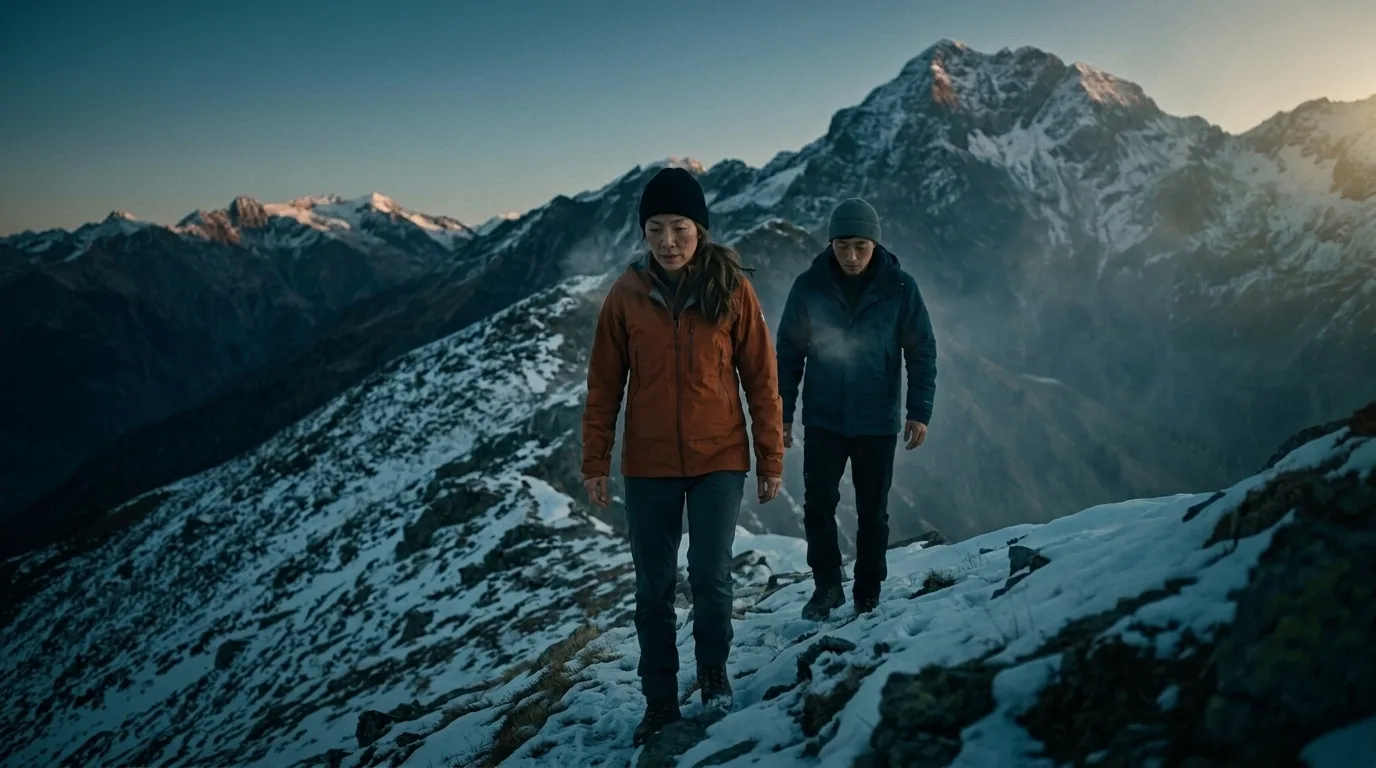
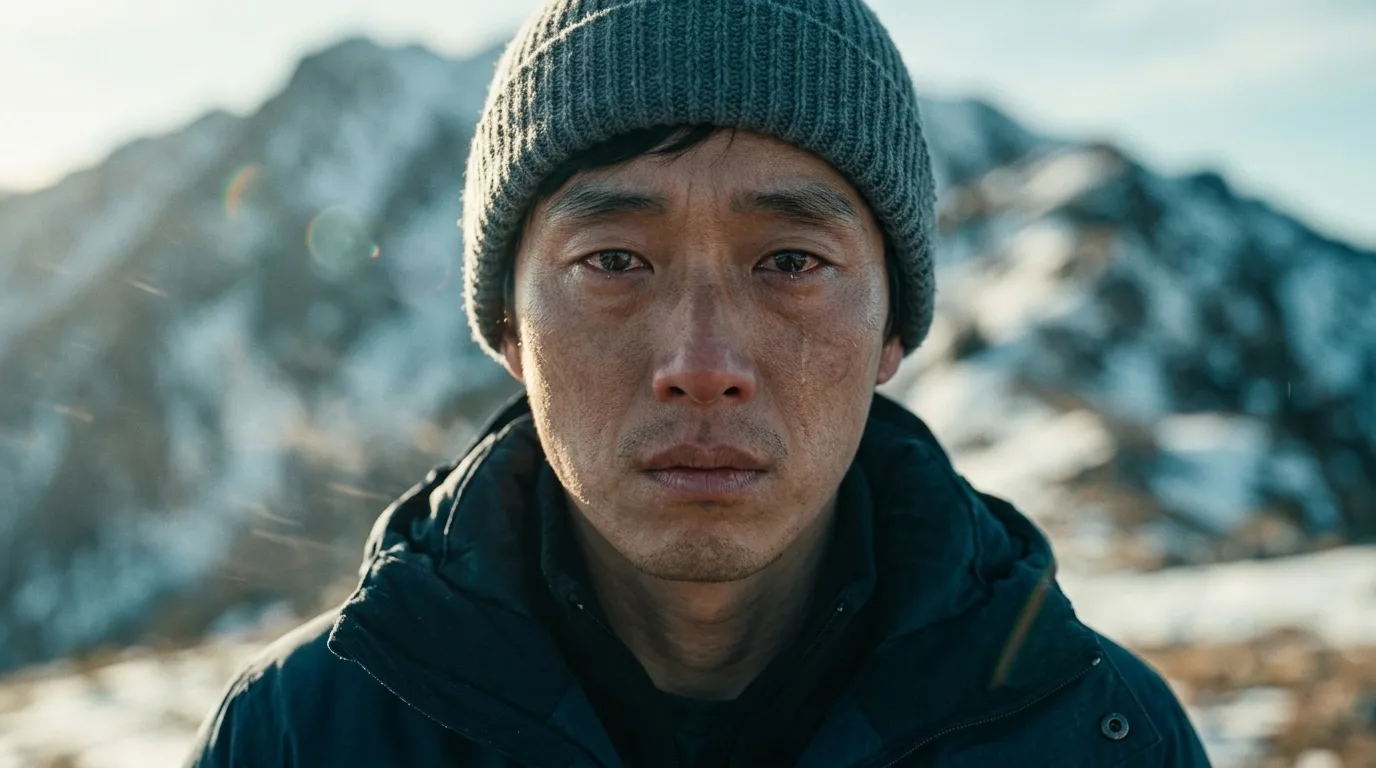
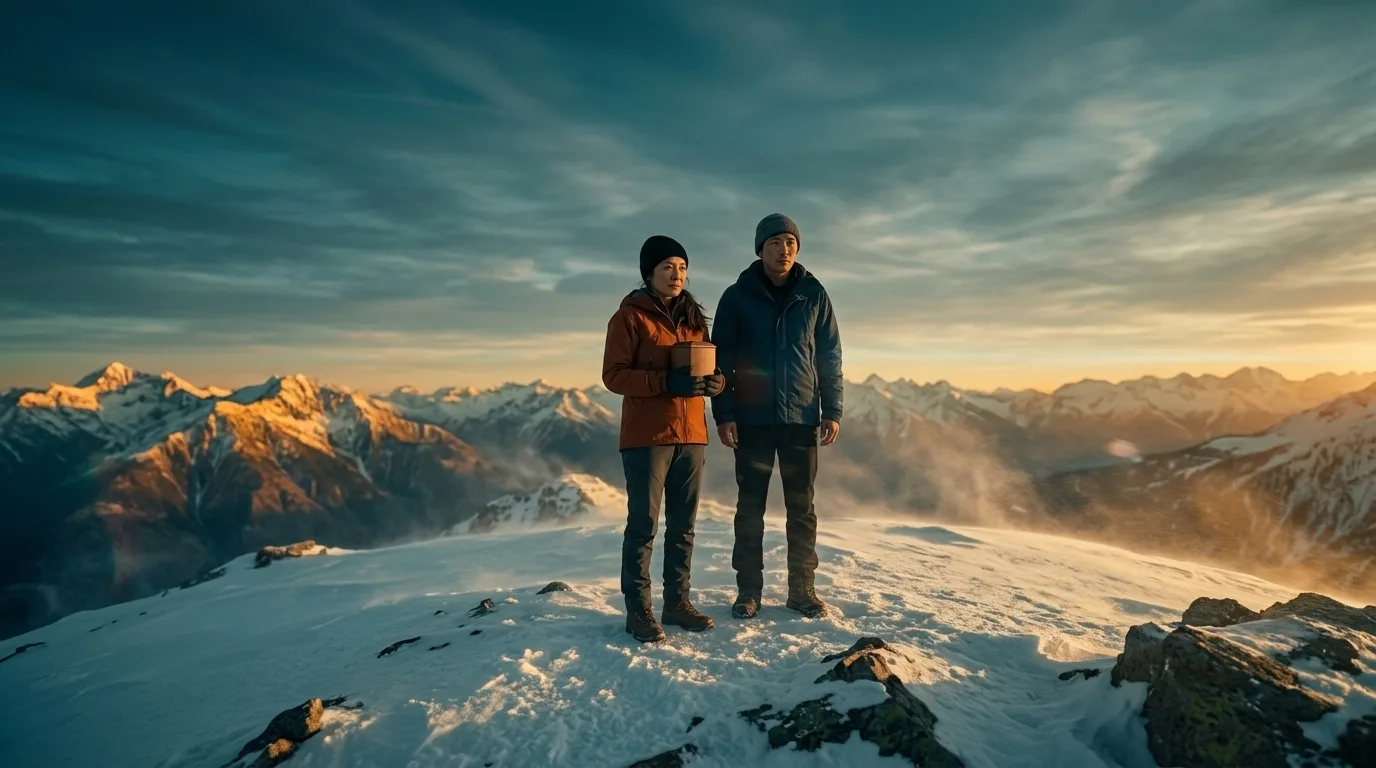
Three consecutive shots from one generated film, above. The test of a story pipeline is not whether any single frame is beautiful — it is whether the man in the grey beanie in the wide shot is recognisably the same man in the close-up, and still wearing the same jacket two scenes later. Every frame there was conditioned on one character reference image generated before rendering began. More finished films are on the public gallery.
It renders on several engines you choose per project: MiniMax H3 and Kling 3.0 (4 credits per second of footage), Seedance 2.0 (5–8) and Seedance 2.5 (12 at 720p). An 8-second shot therefore costs 34 credits on H3 or Kling and 98 on Seedance 2.5, keyframe included. Credits are $0.06–0.10 each depending on the pack, all one-time with no subscription: the Starter Pack is $19.90 for 200 credits, and bigger packs buy more per dollar, up to $199.90 for 3,500. Seedance 2.5 comes with the Film Pack and up. Signing up grants 20 free credits — enough for the script, the character references and keyframes, which is to say the storyboard, but usually not a complete voiced clip.
Output is a multi-scene film with voiced dialogue, subtitles, an optional score, and an MP4 you can download at no extra charge. Twelve visual styles ship, from photoreal live action to anime and watercolor — the full set is catalogued on the AI animation generator page. Stories cap at 16 scenes and four featured characters at once.
Strengths
Character identity holds across scenes without training a model or managing reference sheets by hand. The script is editable and visible before you spend credits, which removes most of the retry tax that makes clip models expensive. Dialogue is voiced and subtitled automatically, and downloads are not paywalled — if you paid credits to render it, you can take the file.
Weaknesses
The free tier stops at the storyboard, so it proves the workflow without finishing a film. There is no timeline editor and no frame-level compositing: you direct through the script, not a canvas, which is the wrong shape if you want to grade and retime individual frames. And for one show-off shot with no continuity to protect, a frontier clip model driven directly will out-render it.
2. Google Veo 3.1 (via Flow) — best raw shot quality
Veo remains the quality benchmark, and its native audio — dialogue, ambience and effects generated with the image rather than dubbed on afterwards — is still the most convincing in the field. Access runs through Google's subscription ladder rather than a standalone product: Google's own plan page lists AI Plus at $4.99/month with 200 Flow credits, AI Pro at $19.99/month with 1,000 Flow credits and a limited trial of Veo 3.1 Lite, and AI Ultra at $99.99 or $199.99/month with 10,000 or 25,000 Flow credits and full Veo 3.1 access. Read that ladder carefully: the $19.99 tier most people land on gives a trial of the Lite model, not unrestricted access to the model the demos were made with.
Flow itself has grown real filmmaking furniture — scene extension, ingredient-based shots, camera controls. What it still does not do is hold a specific character across an entire project without careful manual reference management, and the honest ceiling is cost: at Ultra pricing, a serious short is a five-hundred-dollar month.
3. Kling — best multi-shot control for the money
Kling is the tool that took narrative structure most seriously in 2026. Its multi-shot storyboarding generates several camera cuts inside a single generation, and voice binding locks a specific voice to a specific character across those cuts — the single feature most likely to make a multi-shot scene feel authored rather than assembled. Quality sits a step behind Veo on photorealism and comfortably ahead of it on price.
Plans as listed in September 2026 run from a free tier with daily refilling credits to roughly $10/month (Standard), $37 (Pro), $92 (Premier) and $180 (Ultra), with annual billing discounting the middle tiers by around a third and heavily discounted first months that make the renewal price a surprise if you do not read the checkout. The catch is the interface: Kling is a generation console, not a production environment, so organizing a film across many generations is your problem to solve in a folder somewhere.
4. Runway — best for directing inside an editing suite
Runway is the one tool here that behaves like professional software rather than a prompt box, and it is where video-to-video work — style transfer, object replacement, relighting existing footage through the Aleph family — actually belongs. Its pricing page lists Standard at $12/month billed annually ($15 monthly) for 625 credits, Pro at $28 ($35) for 2,250, and Max at $76 ($95) for 9,500, with a free plan of 125 one-time credits. Gen-4.5 costs 60 credits per 5 seconds, which makes the Standard plan roughly 52 seconds of footage a month before a single retry — do that arithmetic before you subscribe.
Max now rolls over up to a month of unused credits, which no Runway plan previously did. Runway also resells other vendors' models inside its own interface, Seedance 2.0 included, so it increasingly competes on workflow rather than on the model. For story work it has the same gap as every clip-first tool: consistency is your job.
5. Seedance 2.5 (Dreamina) — best reference-driven consistency
ByteDance's Seedance 2.5 is the model most directly aimed at the consistency problem: it accepts a large set of reference images and keeps distinct characters distinct within a multi-entity scene, and it generates dialogue audio in a broad set of languages. It is good enough that we render our own default tier on it.
Consumer access is through Dreamina, where pricing is credit-based and moves often — a 5-second 720p clip lands around 50–60 credits, and per-second rates on annual plans have been quoted near $0.10. Two caveats: ByteDance has not published a stable consumer price list the way Google and Runway have, and the Dreamina interface is a generator rather than a story tool, so the model's consistency strengths still need a workflow wrapped around them to become a film.
6. Hailuo (MiniMax) — best cheap, fast image-to-video
Hailuo is the value play: fast image-to-video with generated audio at a fraction of frontier pricing, which is why its H3 model is our own budget engine. If you already have a good still — a photograph, a rendered frame, a piece of concept art — and want it to move convincingly, the price-to-quality ratio is the best in this list.
Plans are listed around $7.99/month (Standard, ~1,000 credits), $24.99 (Pro), $63.99 (Master) and $199.99 (Max), with a free tier good for a few short videos a day and unlimited slow-queue generation on the top tier. Credits reset monthly and do not roll over. Text-only prompting is weaker than the image-to-video path, and like every clip model here it has no notion of a project.
7. Luma Dream Machine — best for iterating on a look
Luma's bet is agentic iteration: describing a change and having the tool revise a shot rather than rerolling from scratch, which suits exploratory work — mood pieces, concept films, anything where you are discovering the look rather than executing a storyboard. Pricing starts at $30/month ($25 annual) for 10,000 credits, then $90 for 40,000 and $300 for 150,000, with the upper tiers mainly buying more agent usage. That entry price is high relative to Kling or Hailuo for comparable output, and the free tier is no longer advertised on the pricing page — verify what a new account gets before planning around it.
8. Pika — best free tier for actually playing
Pika stayed deliberately playful while everyone else chased photorealism, and its effects — swapping objects, adding elements, transforming a subject — are the most fun-per-minute in the category and genuinely useful for social content. Its pricing lists a free plan with 80 monthly credits capped at 480p, then $8, $28 and $76/month billed yearly for 700, 2,300 and 6,000 credits. The free tier is the most usable one here for learning what prompts do. It is not a narrative tool and does not pretend to be: no script stage, no character system, short clips.
9. Higgsfield — best if you want every model on one bill
Higgsfield is an aggregator with strong camera-motion presets: one subscription, fifteen-plus models behind it, including several of the frontier ones listed above. For comparing models against the same prompt without four separate subscriptions, it is the efficient answer. Plans are listed around $19/month for 270 credits, $59 for 1,200 and $129 for 3,000, with annual discounts.
Read the credit mechanics before committing: different models consume very different amounts, plan credits expire at the end of each billing month, and top-up credits expire after 90 days. Aggregators also inherit their suppliers' risks — when a model is withdrawn upstream, your saved workflow goes with it.
10. OpenAI Sora — discontinued in 2026
Sora belongs in this list for the same reason a closed restaurant belongs on a map: people are still looking for it. OpenAI shut the Sora app and web experience down on April 26, 2026, and deprecated the Videos API in March with removal scheduled for September 24, 2026 — OpenAI's own help center documents the discontinuation and the export window, after which associated data is deleted; the removal date also appears on OpenAI's API deprecations page. Reporting at the time described compute costs against sharply falling usage.
The lesson is worth applying to every other name on this page. Sora was the most visible AI video product in the world eighteen months ago. If your workflow lives inside one vendor's interface — characters defined there, projects stored there, output never exported — you are one product decision away from losing it. Keep scripts, reference images and rendered files somewhere you own.
Side-by-side comparison
Entry paid tiers as of September 2026. Prices for tools without a public pricing page are indicative — confirm in-app.
| Tool | Best for | Multi-scene cast | Native audio | Free tier | Entry price |
|---|---|---|---|---|---|
| TaleScene | Story-to-film pipeline | Reference-locked, every scene | Yes, with subtitles | 20 credits (storyboard) | $19.90 one-time |
| Google Veo 3.1 | Raw shot quality | Manual reference work | Yes, best in class | Limited Flow credits | $19.99/mo |
| Kling | Multi-shot scenes | Multi-shot + voice binding | Yes | Daily refilling credits | ~$10/mo |
| Runway | Editing-suite control | Manual reference work | Model-dependent | 125 one-time credits | $12/mo annual ($15) |
| Seedance 2.5 | Reference consistency | Large reference sets | Yes, many languages | Promo credits | Credit-based, varies |
| Hailuo (MiniMax) | Cheap image-to-video | Per-clip only | Yes | A few clips daily | ~$7.99/mo |
| Luma | Iterating on a look | Per-clip only | Model-dependent | Not advertised | $30/mo ($25 annual) |
| Pika | Effects and social | No | Limited | 80 credits, 480p | $8/mo yearly |
| Higgsfield | Many models, one bill | Inherited from model | Model-dependent | Trial credits | ~$19/mo |
| OpenAI Sora | Shut down 2026 | — | — | — | Discontinued |
Which AI video generator should you pick?
Match the tool to the job, not to the leaderboard:
- One beautiful shot, money no object: Veo 3.1 through Flow. Nothing else matches its audio.
- A story with recurring characters: a pipeline that locks identity first — TaleScene, or Kling if you want to drive the model directly and manage continuity yourself.
- Editing, retiming, altering existing footage: Runway. It is the only one here that is really an editor.
- A still you want to move, cheaply: Hailuo, or Seedance if the shot has several characters to keep straight.
- Learning what any of this does, for free: Pika, then Kling's daily credits.
- Comparing models before committing: Higgsfield, watching the credit expiry rules.
The structural point underneath all of it: a clip model sells you seconds, and a film is made of relationships between shots. If your project is a single moment, buy seconds. If it is a story, buy a process — a script you can read, a cast that is fixed before rendering starts, and files you can export. That is the argument for a script to video AI over a prompt box, and it is why we built an AI movie maker around a script stage instead of a gallery of clips.

If you want the longer view of where this is heading, our explainer on how AI generated movies are actually made covers the studio-scale projects and their limits, and how to write a video script covers the input side — which, on every tool in this list, is still what separates a good result from a slot machine.
Frequently asked questions
What is the best AI video generator in 2026?
It depends on what you are making. For a single striking shot, Google Veo 3.1 through Flow has the best raw quality and native audio. For a multi-scene story where the same characters have to survive every cut, a story-first pipeline like TaleScene, or Kling's multi-shot storyboarding, will beat a better-looking single-clip model. For frame-level control inside an editing suite, Runway. The clip models have largely solved five seconds of beautiful footage; the thing still worth choosing between is what happens across shots.
Is there a genuinely free AI video generator?
Free tiers in 2026 are samples, not workshops. Pika gives 80 monthly credits at 480p, Kling hands out daily credits that refill, Hailuo allows a few short videos a day, and Runway's free plan is 125 one-time credits. TaleScene's free 20 credits cover the script, character references and keyframes — the storyboard — but generally not a full voiced clip. Anything advertising unlimited free generation is either queueing you behind paying users or watermarking the output.
What happened to OpenAI's Sora?
OpenAI discontinued it. The Sora app and web experience shut down on April 26, 2026, and the Videos API endpoints were deprecated in March with removal scheduled for September 24, 2026. Reporting at the time pointed at compute costs against collapsing usage. It is the clearest reminder in this field that the tool you build a workflow on may not outlive the workflow — keep your scripts, character references and rendered files somewhere you control.
Which AI video generator keeps characters consistent across scenes?
Consistency is now solved in two different places. Model-level: Seedance 2.5 accepts a large set of reference images, and Kling 3.0 offers multi-shot generation with voice binding so a character keeps one voice across cuts. Pipeline-level: tools like TaleScene generate a locked character reference image first, then condition every keyframe in every scene on it, so identity survives across shots the model never sees together. Generic clip models with no identity mechanism drift visibly by the third shot.
How much does AI video actually cost per finished minute?
Far more than the headline subscription suggests, because credits are consumed per second of output and you rarely keep the first take. As a September 2026 reference point, Runway charges 60 credits per 5 seconds of Gen-4.5 on plans from $12 to $76 per month, and TaleScene charges 12 credits per second on Seedance 2.5 or 4 credits per second on MiniMax H3, where credits cost roughly $0.07–0.08 each. The number worth comparing is cost per usable second after retries, not credits per dollar.
Can I use AI-generated video commercially?
Most paid plans grant commercial rights to what you generate; most free tiers either withhold them, watermark the output, or leave the question ambiguous. The separate risk is the input: uploading a real person's face, or prompting for a recognizable actor or a trademarked character, lands you in rights problems no license from the tool vendor can resolve. Check each vendor's current terms before a generated clip goes into paid work.
Do AI video generators produce sound?
The good ones now do. Veo 3.1, Kling, Seedance 2.5 and MiniMax H3 all generate dialogue, ambience and effects with the picture rather than requiring a separate voiceover pass. The catch for multi-shot work is that each clip is generated independently, so voices and ambience can shift between shots — and no clip model produces a score that stays coherent across a whole film. Continuous music still has to be added at the edit or mix stage.